Category: Story2D

  • 15/11/2016 – Game Menus

    A menu is the graphical control element that is the navigation part of the game, outside of the actual game itself. The tend to be made up of buttons that allow the player to set up/configure the game, and start the game they have just determined the information for.

    Menus usually consist of a title, background and a group of easy to understand buttons which each perform a different function(typically continue, play and options/settings). As this is the first thing the player will see (excluding splashscreen(s)), it is important the design, look and feel of the menu is good. The menu should also be easy to understand and navigate, otherwise you will lose the players interest straight away. Get these right and it will entice the player to continue to play the game.


    To help with making the right game menu, there are 10 commandments:

    • Allow players to skip splash screens
    • Make the first option on the menu to be a ‘continue’
    • Do not place a video montage before the menu
    • Automatically save settings when they are changed
    • Don’t remind the player the game is auto-saving
    • subtitle should go under video, not audio, y-axis inversion should go under controls, not gameplay, and difficulty should be place under gameplay
    • You should be given an option to invert the y-axis before the game starts
    • Always use “A” to continue and “B” to go back(or “X” and “O” for Playstation).
    • Always make the map easily accessible – eg.not behind multiple levels of menu.
    • Always allow the player to quit to desktop.


    An example of a good game menu would be Dead Space, as it is visually appealing, has all of the necessary buttons and is easy to navigate.

    dead-space-menu


    An example of a poorly designed menu would be Battlefield Bad Company 2 as there is too much going on, has a poorly designed colour scheme and is very cluttered.

    bfbc2-menu


    For my menu, as it will be optimised for mobile, I will not need an exit button. I have tried to keep the design simple and easy to navigate, which I think I have achieved.

    false-promise-menu-high-res


  • 29/11/2016 – Photoshop

    Today I worked on editing and manipulating photos in photoshop. I was assigned to use a Breaking Bad photo and change it using photoshop:

    Before:

    breaking-bad3

    After:

    breaking-bad3

    I am happy that I have managed to remember how to use photshop, as I have been using it on and off for around 4 years. This was a nice recap.

  • 22/11/2016 – Story2D Peer Review

    Student name: Owen Gilbert

    Peer reviewer: Danny (Barry chuckle) Smith

    Blog entry title: Comment on blog entry: Completed? Yes/no Target to complete the entry? (What needs to be done)
    Story Development   – History


    Very well described yes No tweaking needed
    Narrative Theory – Propp & Todorov


    In immense detail on the history of these two gentlemen. And you have explained why a story plan is important. yes No tweaking needed
    Script Treatment


    Completed on time yes No tweaking needed
    Intro to Key Frame Animation


    You have included all the technical words and their meaning which is very good for the reader to understand. yes Show some screenshots of your work on animation
    Sprite Sheets


    You included your sprite and the idle animation and also the walking animation. yes No tweaking needed
    Tile Maps


    You have shown your tiles and provided a level which is made from them yes Correct spelling for the software use it is Piskel not ‘Pickel’
    Graphic User Interface (GUI)


    N/A NO Complete the god damn blog
    Menu Systems – mock up


    N/A NO Complete the god damn blogS


  • 08/11/2016 – GUI

    GUI, or Graphic User Interface, allows the use of icons etc which interact with the user, making information easier to interpret as well as making navigation easier. Nearly every domestic computer is interacted with through a GUI today.


    WIMP

    WIMP systems derive from GUI, each letter standing for:

    • Window – Runs self contained program
    • Icon – Shortcut containing an action the PC can preform
    • Menu – Text/Icon based, selects and executes programs or tasks
    • Pointer – eg. A mouse cursor, used for navigation


    The History

    1960’s – GUI began to appear when Douglas Engelbart’s Augmentation of Human Intellect project developed the oN-Line System (NLS) which incorporated a multiple windows and a mouse driven cursor.


    1973 – In this year Douglas Engelbart and Alan Kay developed the Xerox Alto at the Xerox PARC, the first computer GUI.


    1983 – Apple introduced the first commercially available computer with a GUI, the Lisa computer.


    1985 – Windows 1.0 was released.


    The GUI System

    the-gui-system


    The Balance of UI and UX

    UX refers to how enjoyable UI interactions are. UI refers to the methods and interfaces a player would use to interact with your game.


    Examples of UI


    An example of a bad UI would be WoW (World of Warcraft) when you progress further into the game:

    shit-ui


    The overlays are cluttered and in excess so much you can barely see what is happening in the actual game. The displays are informative, but maybe too informative and show an overload of information which could easily get confusing.


    A good UI would be Dead Space 3:

    dead-space-3-ui

    As it is shown on the image above, the information is kept to a minimum, and the HUD (Heads Up Display) is very subtly showing all of the useful information at that time. For example, the long blue bar following the character’s spine shows the players’ health, and the hologram next to the weapon shows the current ammunition. This is clutter free and is a very nice and comfortable experience for the player.


    My GUI

    As I am developing a mobile game, my GUI won’t require as much information, and therefore will only have to display one thing: Lives. For this I am only going to show hp or lives in the top left/right corner of the screen.

    heart-gui


  • 01/11/2016 – Tile maps

    A tile map is a group of tiles, small images that act like a puzzle pieces which can be put together to create a larger image eg. the level you are playing on. This is good because it will take less time to build the level as instead of having to load each texture individually from files, you only need to load one file with the tiles within. This means the game will run faster and be more efficient.


    I used pickel to create my own tile map, then proceeded to design a level using them:

    tile-map     level

  • 18/10/2016 – Sprite sheets

    Sprite sheets are used to give a frame by frame representation of an animation. These are usually tied together by computers which when displaying one after the other create an illusion of movement. Sprite sheets can be very long, and one is needed for each animation an object or character will do. Below are some examples I have made of how sprite sheets create an animation.


    Idle Animation:

    idle

    Sprite sheet:

    idle


    Walking Animation:

    walking

    Sprite sheet:

    walking

  • 11/10/2016 – An Introduction to Animation

    Animation is the rapid display of a sequence of images to create the illusion of movement.


    There are 4 methods or animation:

    • Cell animation – Each frame is individually drawn (A good example is old Disney films)
    • Stop motion – Models are changed and each frame is photographed (eg. Wallace and Gromit)
    • 3D Animation – 3D models are created and rendered out in the format of frames. (Pixar or Dreamworks prouctions are good examples)
    • Keyframe animation – This is when things are given a start and an end, and the computer (or animators known as “tweeners”) draws/calculates the frames inbetween (hence the name “tweeners”). Keyframe animation is the basis for almost all computer based animation. This form of animation uses 4 basic operations over time – Move, Rotate, Scal and Transparency/Opacity.


  • 04/10/2016 – Story Treatment

    Today I learned about script treatments, there format and use. A script treatment is a small document (2-5 pages) similar to a short story. It should include a start, middle and end as well as using some key scenes breifly. It needs to be oncise but shouldn’t sacrifice any good pieces of information.

    script-treatment-formatting

    Source: PowerPoint Presentation

    A script treatment is formatted similarly to any other script, including transitoions, location, time of day, actions and speech. They are used as condensed scripts, sort of how a film teaser trailer would be used, to register interest and get financiers intrigued enough to pay you to write the full script. This also helps the writer sort out problems and evaluate the solidity of the idea.

    For my game I will need to write a script treatment with a story idea, before implementing it into my game.

  • 27/09/2016 – Story Theory

    Tzvetan Todorov argued that a narrative moves through a process of transformation in progressing towards its conclusion. This was known as the “5 stage theory”. He identified that every story has a start, middle and end, so devised a theory consisting of 5 stages: Equilibrium, Disruption, Recognition of disruption, Attempt to repair disruption and Reinstatement of the equilibrium.

    Vladimir Propp is most famous for writing “The Morphology of the Folk Tale”. Using character types and “spheres of action”, Propp claimed it was possible to group most, if not all, characters. These “spheres of action” contained 31 functions that would help to progress the story. He discovered there were 7 character types:

    • The Hero (traditionally a male protagonist)
    • The villain (cause of disruption)
    • Dispatcher (sends the hero on a journey)
    • Donor (offers advice / gift with magical properties)
    • The Helper
    • Princess/Heroine (vulnerable, usually needs rescuing by the hero)
    • False hero / false villain (a character who seems to be on a certain side – either hero or villain – who ends up deceiving/turning against them)

    There are 4 spheres action: The Introduction, The Body of the Story (hero onto their main quest), The donor sequence (searches for a solution, often gaining a magical agent from the donor – this may complete the story, and the 4th sphere may not be needed), The Hero’s return (this phase is often optional).  Within these spheres are what are known as “31 Narretemes”. A game company that tends to follow Propp’s theories very closely are Nintendo. A good game that depicts this from Nintendo’s collection is “Super Mario Bros”:

    Initial Situation:

    • Abesntation: Peach goes missing
    • Interdiction: Mario is warned

    Violation of interdiction

    • Reconnaissance: Bowser seeks Peach
    • Delivery: Bowser finds Peach’s whereabouts
    • Trickery: Bowser attempts to deceive Peach
    • Complicity: Bowser runs off with Peach
    • Villainy and Lack: Mario realises Peach is missing
    • Mediation: Mario realises Bowser has taken Peach
    • Counteraction: Mario runs after Bowser to save peach
    • Departure: Mario leaves on mission
    • Testing: Mario is faced with levels he needs to complete to get to Bowser’s castle
    • Reaction: Mario responds to the test, completing the levels
    • Acquisition: Mario gains powerups as he progresses through each level
    • Guidance: Mario reaches the castle (final level)
    • Struggle: Mario and Bowser fight (Final boss fight)
    • Branding: Mario is banded as hero
    • Victory: Bowser is defeated
    • Resolution: Peach is back, resolving the initial lack/misfortune
  • 20/09/2016 – Story Development and 2D Animation

    Today I learnt about different forms of storytelling, which included a wide range of methods:

    Cave paintings:

    Cave paintings are one of the earliest ways of communicating, and are the oldest from of recordable storytelling.

    Theories vary from them being used to communicate or just simply depicting the lives of the people from approx. 40,000 years ago.


    Myth:

    Myths explain the existence of natural occurrences, usually depicted through a supernatural being (eg. Lightning and Zeus) They are still popular even when the actual reason for these events taking place are known.


    Fable:

    A fable is a fictional story in which features something being anthropomorphised (given human qualities). These stories are also used to illustrate moral lessons. For example, The tortoise and the hare is a fable to show that you should take your time/ take care when doing things and you will be successful. These fables have originated from many cultures.


    Legend:

    Legends are stories that may have originally been true, or at least believed to be true, but turn out to be fictional. Examples of these include King Arthur, who is not proven to have existed at all, and robin hood who may have just been a desperate robber. These stories usually start small and are blown out of proportion or fantasised about, like Dick Turpin the Highwayman, who was portrayed as a romantic man, but was actually a cold blooded killer who robbed people.


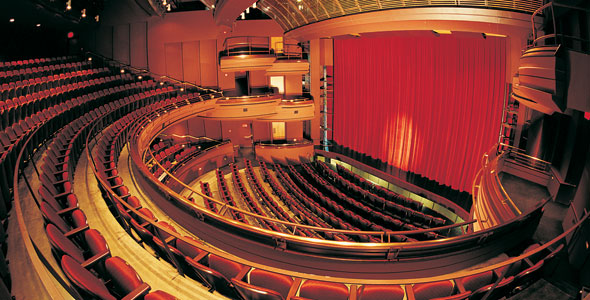
    Theatre:

    Theatre uses live performers to portray an event in front of a live audience. They portray these stories using gestures, speech, music, dance or song.


    Film:

    A film is similar to theatre but is a series of images to used to produce the illusion of movement which are projected at the viewer. These are not live, and are produced using cameras, or animated.


    Television:

    Television is the most common way of viewing stories in the modern age. It is commonplace at home and work, and can be used to watch films and other entertainment purposes, as well as keeping up to date with news and weather.